

BIM assets
From product to BIM asset.
What is inside every package, how it is verified and how it reaches the architect.
- TRACEABLE DATA
- CONTROLLED VERSIONS
- DIRECT DOWNLOAD
Calacata Bianco
1200 × 600 × 7 mm
BIM asset
Surface
Porcelain
1200 × 600 × 7 mmData
Properties and classification
Asset
Ready for BIM
What is inside the package.
One ZIP per product, with a fixed structure. An architect with no contact with Stratyo understands it on their own.
M2CLPG31LAV_san-lorenzo-design_BIM_v1.0.zip · 5.3 MB · 22 files
revit/
Native Revit project
One file per product and language, with the material and the floor type inside.
.rvt · Revit 2025
ifc/
IFC4 ADD2 TC1
The product as IfcCoveringType, with its properties in its own Pset. Validated by the official buildingSMART service.
.ifc · validation.json
textures/
Every face, to scale
2 pixels per millimeter, fixed names: downloading the folder again updates a project without touching the .rvt.
.jpg · .webp
qa/
Verification report
What was checked, with what result and on what date. What was not run says “not run”; it does not disappear.
.html es · en
manifest.json
The contract
Version, hash of every file, validations, provenance of every value, license and the URL of the public product page.
v1.0
What the manufacturer did not declare does not appear: no substrate is invented, no joint is invented, no property is invented. Derived values are labeled as derived.
The public product page
One page per product, carrying the manufacturer’s identity, in the brand’s language. The architect sees the real faces to scale, the technical data, the validations and the versions, and downloads without signing up. Its URL travels written inside every Revit file.
See the public product page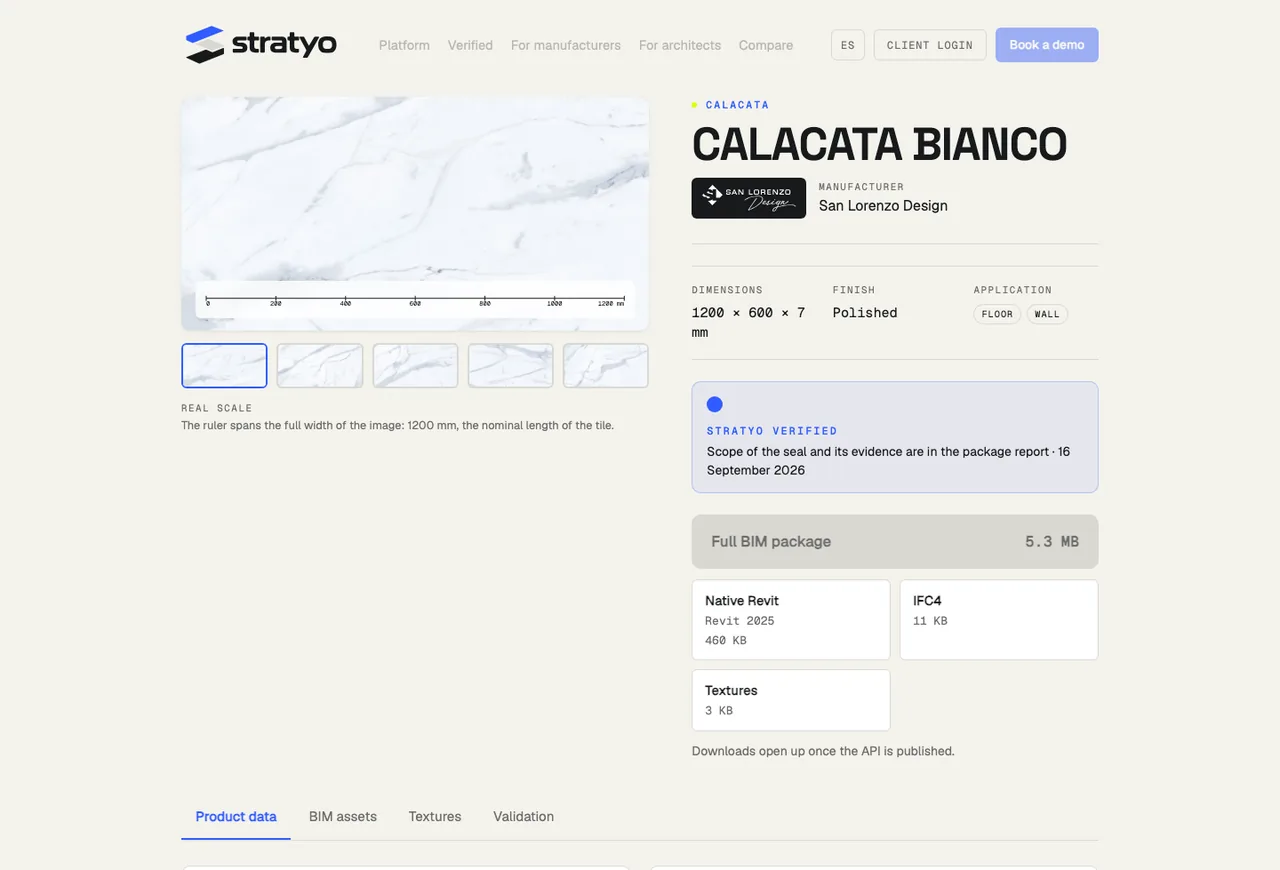
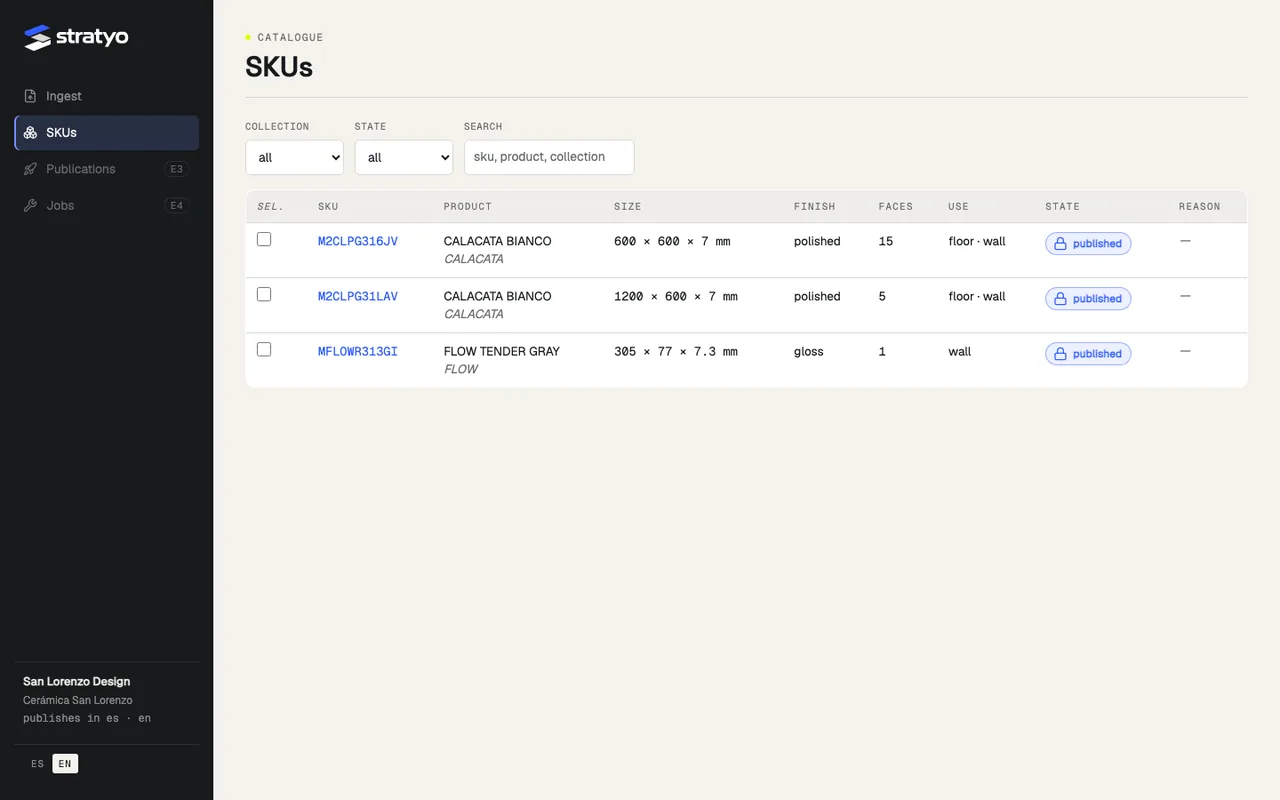
The manufacturer portal
Your brands and products, each one’s state with its reason, the published versions and the export of the complete catalog. Uploads come in by spreadsheet, and whatever fails is blocked with the reason written down, in your language.
The panel on your site
A script with no dependencies that you paste into each product page of your site — WordPress, Shopify, anything — and that draws the download panel: the seal, the package and one format per card. Isolated from the host site’s CSS; we tested it on a deliberately hostile page.
Widget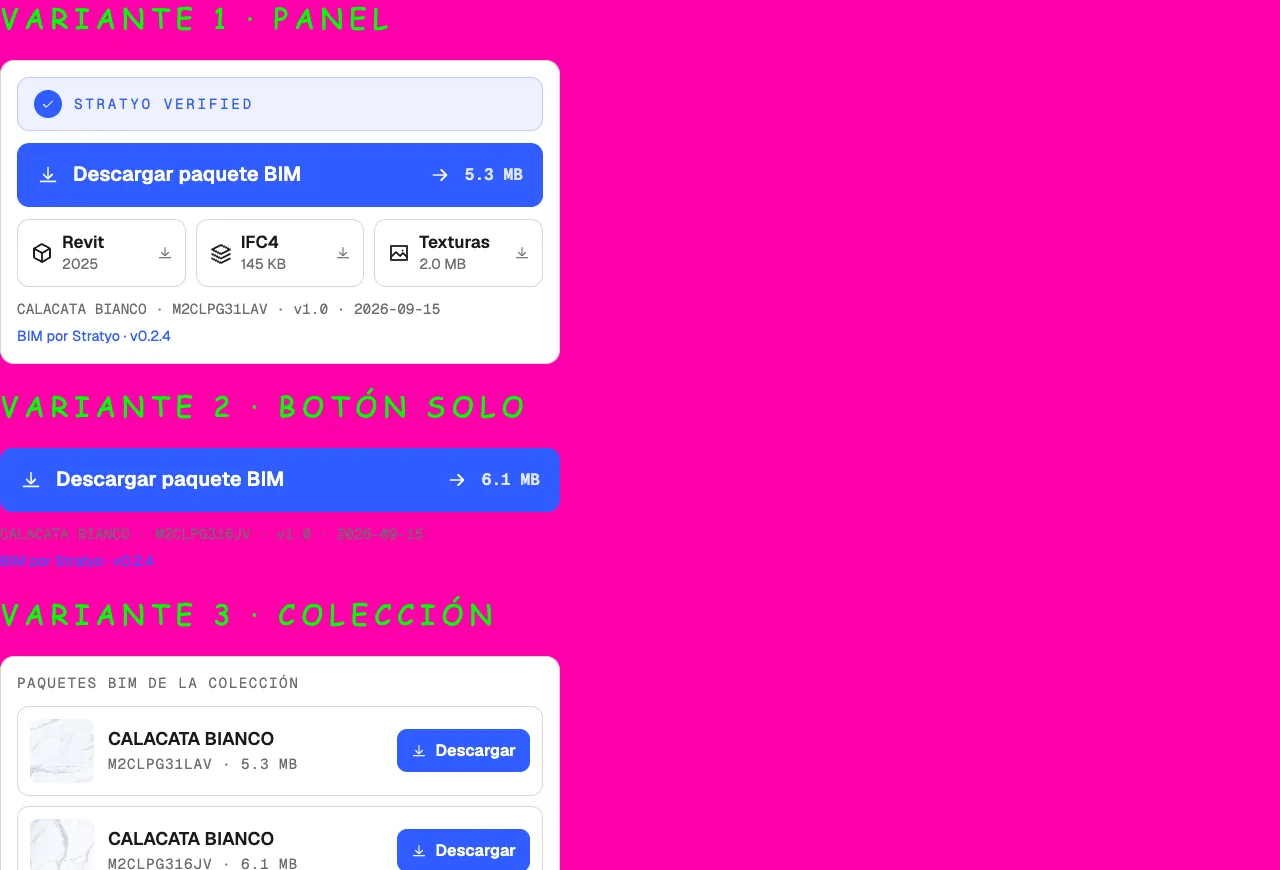
Versioning
Every publication is a version, and a published version never changes: when the manufacturer corrects a value or a new Revit comes out, a new version is published and the previous one stays available for the projects already using it. The history is on the product page and in the manifest.
Always published by Stratyo
Your brand page and every product page, always. The panel on your site, if you want it. The files, in your hands.
What each one includesWant to see your product like this.
Request a demo: three of your products, converted and validated, with their report.