

For architects
Download it and use it.
No account, no form, no wait. Every real face of the product, to scale, and the complete technical data, in the format you use.

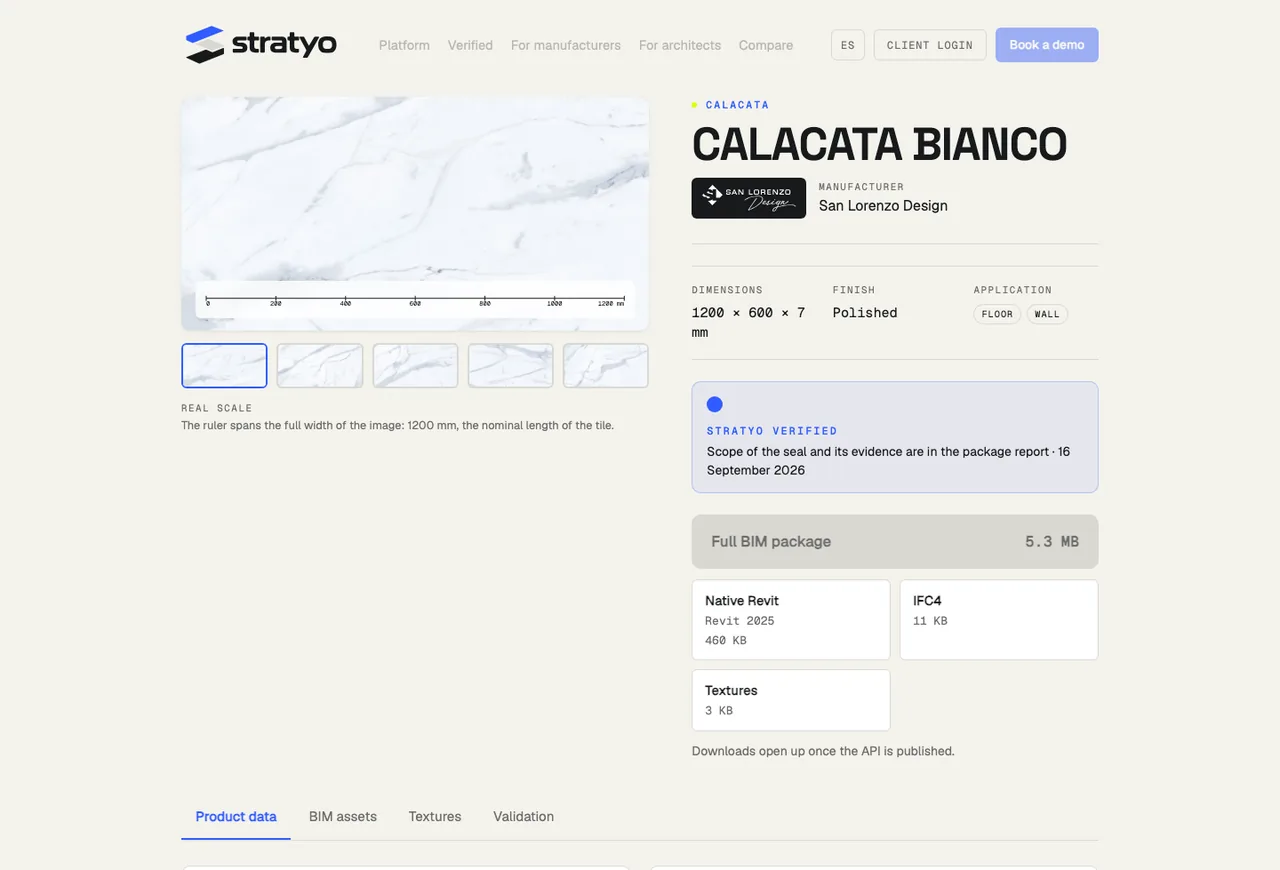
CALACATA BIANCO
San Lorenzo Design · 1200 × 600 × 7 mm · v1.0
No account, no form. SHA-256 of every file in the manifest.
How to download.
01
Open the product page
From the manufacturer’s site (the download panel) or from their brand page published by Stratyo.
02
Pick the full package or one format
The ZIP has everything. If you only need the .rvt, the IFC or the textures, they come separately.
03
Verify if you want
Every file has its SHA-256 hash in the manifest and on the product page. What you downloaded is what was published.
What the package carries
The same content, for every product.
This is the sample package’s.
.rvt
Native Revit 2025 project. The material and, for floors, two types: the real finish and a reference assembly with a generic substrate, labeled generic.
.ifc
IFC4 (ADD2 TC1). The product as IfcCoveringType with 30 properties. Opens in any software that reads IFC.
Textures
Every real face of the product at 2 pixels per millimeter, with its real scale in millimeters, and the composite sheet Revit uses to avoid repeating the pattern.
Report
What was checked in this package, with which tool and when. Whatever was not run is stated.
Data
The product data exactly as declared by the manufacturer, in CSV and JSON, and a manifest with every file’s hash.
Frequently asked questions.
Do I have to sign up?
No. Downloads are anonymous: no personal data is stored; the download is only counted by product, format and country.
Which Revit version?
Today, Revit 2025, and we are adding Revit 2024. A Revit 2025 file does not open in Revit 2024 or earlier. When a new Revit comes out, the packages are regenerated and the previous version stays in the product page’s history.
What if I do not use Revit?
The package carries the product’s IFC4, which any BIM software that reads IFC can open. The textures and the data come separately.
Is the substrate the manufacturer’s?
No. The “reference assembly” type carries a generic substrate, labeled generic. The manufacturer declares its finish; the substrate is defined by the project.
What happens if the product changes or is discontinued?
A new version comes out and the previous one stays available for the projects already using it. A discontinued product stays marked, with its last version.
How do I know the file is the published one?
Every file has its SHA-256 hash in the manifest and on the product page. If it matches, it is the same byte for byte.
Your manufacturer has no BIM yet?
Tell us the brand and the country. The request comes to us and we write to the manufacturer.