

Stratyo Verified
Verified, and stated exactly what.
When we say “validated”, this is what gets checked. Every package carries the report with each control’s result, its date, and what was not run.
M2CLPG31LAV · San Lorenzo Design · CALACATA
- IFC schemapassed
- Stratyo rules (IDS)passed
- buildingSMART normative rulespassed
- Official buildingSMART servicepassed
- Opens in Revit 2025passed
- The material survives copyingnot run
What was not run is declared as not run. Never as passed.
What it is
Eight checks. One report.
A set of automatic controls plus a human review by sampling, whose result travels inside every package as a readable report. We use no word other than “verified”: we verify, and we say what.
01
Data pre-flight (8 rules)
That every product has what it needs to be generated properly. Whatever is missing blocks, with a reason, before anything is generated.
02
Image scale
That each face image matches the product’s declared dimensions.
03
IFC validation against the standard
The IFC file goes through the IFC4 schema, through our own IDS and through buildingSMART’s normative rules, locally.
04
Official buildingSMART validation
The same file is uploaded to the buildingSMART validation service and the result is stored with its identifier.
05
Comparison against a reference (“golden”)
Every generation is compared with an approved reference version; if anything changes without reason, it stops.
06
Real opening in Revit
The Revit file is opened in a real Revit, in the cloud, and captures are kept showing that it opens and how it looks.
07
Human review by sampling
A person with Revit reviews a random sample of the published packages.
08
Report per product
All of the above is written in the report that travels inside the package, with date and scope. Whatever was not run is declared as not run.
What Stratyo Verified does not say.
It does not verify the product’s physical properties: those belong to the manufacturer and its tests. It verifies that the data declared by the manufacturer is correctly structured, that the files comply with the standard, and that they open where they must.
How to read it
One check per row.
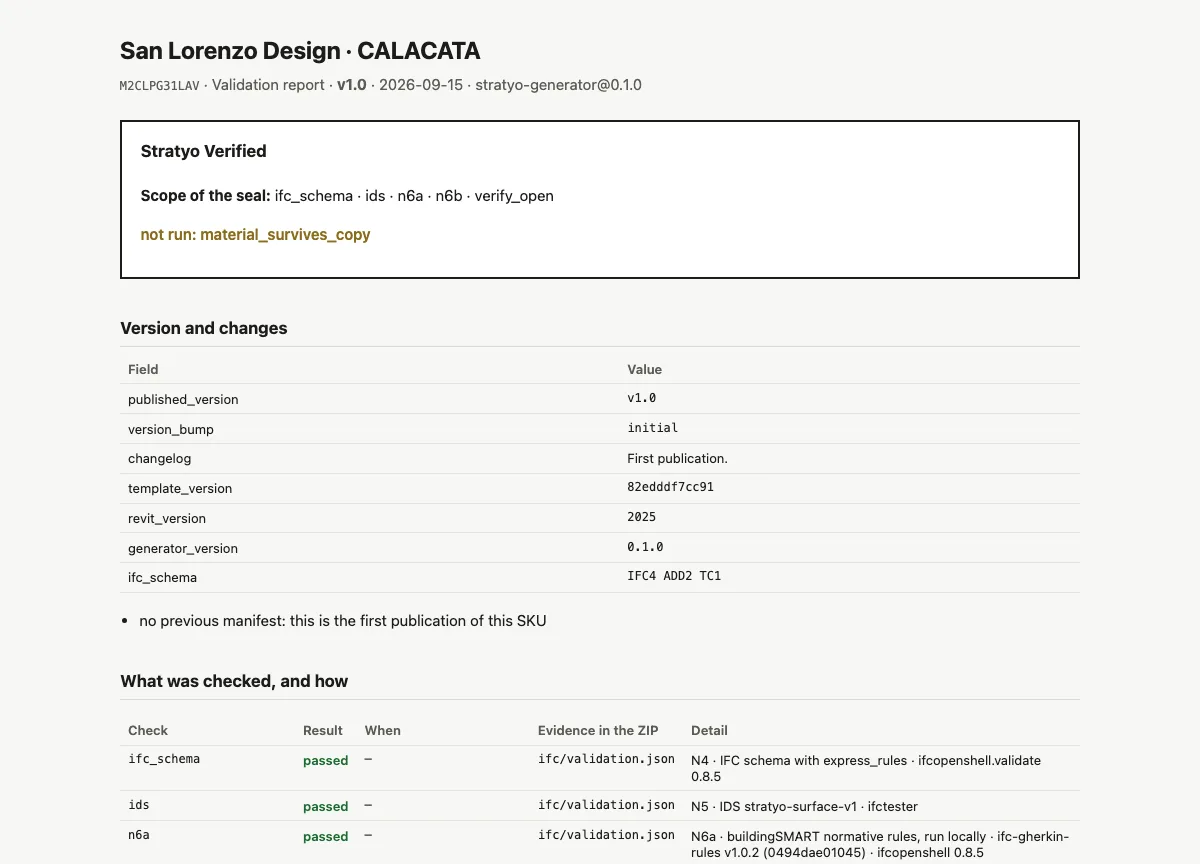
What was checked, with which tool and version, when, and where the evidence is. A check that was not run on this package shows as “not run” with the reason, never as passed. This is the real report from the sample package.
Real capture, unretouched
Want to see the report for one of your products.
In the demo we convert three products from your catalog and show you each one’s report.